 Titli
Titli
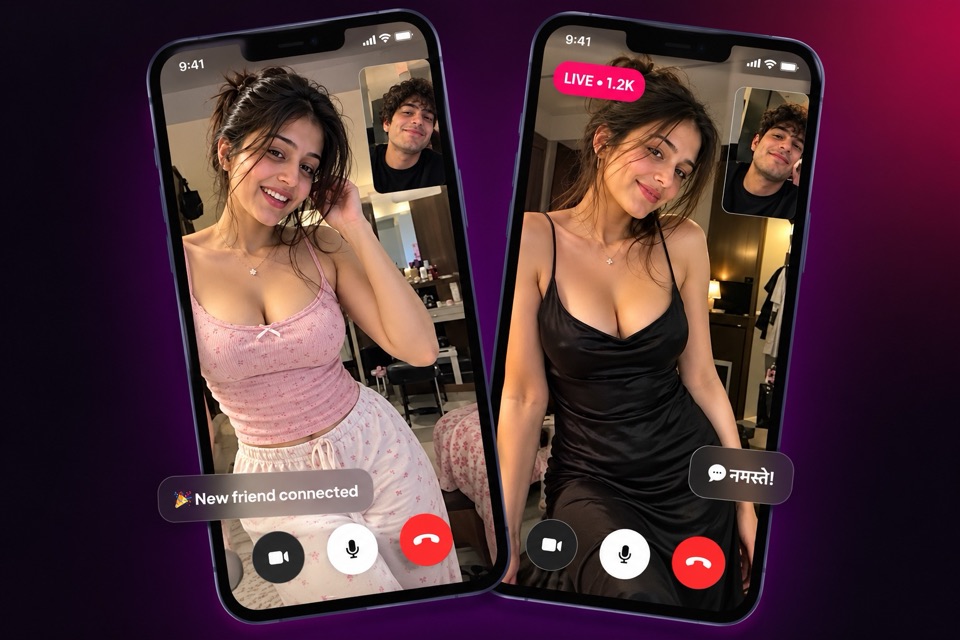
Search for "video call app" and you will find two very different kinds of product. Some are for calling people already saved in your phone. Others are for meeting someone new. Titli is the second kind, and it is worth being clear about that before you download anything.
What Titli is, and what it is not
If you want to video call your mother in Patna or your team at work, use the app you already have. WhatsApp, Google Meet and similar tools are built for that, and they do it well. Titli does not read your contacts and is not designed to replace them.
Titli is a video calling app to meet new people. Everyone on it has signed up because they are open to talking with someone new. You find people through the app itself, not your phone book. That changes everything about how the app is built:
- You need ways to discover people, not just dial them.
- You need to stay in control when the other person is a stranger.
- You need someone checking that the rules are followed.
The rest of this page explains how Titli handles each of those.
| Contact calling apps | Titli | |
|---|---|---|
| Who you call | People in your phone book | New people you meet in the app |
| How you find them | Their phone number | Match, Explore, profiles, chats |
| Your number shown? | Yes, it is how they reach you | No, it stays private |
| Cost | Usually free over data | Calls use coins, billed per minute |
| Moderation | Not usually | Reports, blocks and call moderation |
Five ways to start a video call on Titli
Titli gives you several doors into a call, depending on how much you want to know about someone first.
1. Match, for a surprise
The home tab is Match. Tap Tap to connect and Titli pairs you with an available member for a 1-on-1 video call. You can set interest filters first. It is the fastest way in. Our random video chat page covers it in detail.
2. Explore, when you want to choose
The Explore tab lets you browse people and look at their profiles before you call. If someone's interests or posts catch your eye, call them from there.
3. From a profile
Every profile has a call option. If you followed someone after a good conversation, you can open their profile any time and call again.
4. From a chat
Sometimes it is easier to type first. Swap a few private messages, agree on a time, then start the video call straight from the chat screen.
5. From your call history or the Celebrities tab
Your call history keeps track of people you have spoken to, so a repeat call is one tap away. The Celebrities tab features profiles selected by the Titli team. Some of them offer bookable Private Sessions, which are paid 1-on-1 video calls.
How coins work for calls
Titli is free to download. Video calls use coins, billed per minute while the call is connected. You can see your coin balance in the app, and you top up with UPI, cards or netbanking through secure payment gateways inside Titli.
There are also ways to collect coins without buying them: a daily bonus, simple tasks, and rewards when friends you invite join. Match tickets give a free match call for a limited number of seconds, which is handy for a quick hello.
Worried about mobile data rather than coins? Video uses more data than text. Our guide on video call app data usage has practical tips for keeping it under control.
Controls you have during every call
When you are talking to someone new, small controls matter a lot. On a Titli call you can:
- Turn your mic off and on, for when the pressure cooker goes off or someone walks in.
- Control your camera, including switching it off if you need a moment.
- Use the beauty camera, with beauty sliders, face shaping and colour filters if you like them, or none at all.
- Send a gift, an animated virtual gift bought with coins, if you are enjoying the conversation.
- End the call whenever you want. No reason needed.
Blocking and reporting
Talking with new people means you will occasionally meet someone you do not want to talk to again. Titli makes that a two-second job.
End the call whenever you like, then block or report anyone from their profile or chat. Blocking stops them reaching you. Reporting sends the account to Titli moderation, with reasons such as nudity, harassment, fake profile, spam or underage user. You can manage everyone you have blocked from the blocked-accounts list in settings.
Titli may also capture still snapshots during video calls for moderation review. An on-screen indicator shows when this is happening and you agree to it at sign-up. Read more on our safety page.
Who Titli suits best
Titli suits you if you want to talk to someone new instead of scrolling alone, practise conversation, or meet people from other parts of India. It is not the right app for calling people you already know, or if you are under 18. Titli is for adults only. It is a social app listed in the Social category on Google Play; people use it for conversation, friendship and, for some, video dating.
If a first call turns into regular chats, our page on how to make new friends online explains the tools that help a friendship grow.
Video call karne wala app
Agar aap naye logon se video call karne wala app dhoond rahe hain, Titli wahi hai. Match par tap karein, ya Explore mein profile dekh kar call karein. Kuch galat lage to call kaatiye, aur profile ya chat se report ya block kijiye.
Frequently asked questions
Can I use Titli to call my family and friends?
Titli is built for meeting new people, not for calling contacts in your phone book. It does not use your contacts. For calling people you already know, an app like WhatsApp or Google Meet is the better fit.
Is there an audio-only calling option?
No. Titli calls are 1-on-1 video calls. You can turn your mic off and control your camera during a call, but there is no separate voice-only call.
How are video calls charged?
Calls use coins, billed per minute while connected. You buy coins inside the app with UPI, cards or netbanking through secure payment gateways, or collect them from the daily bonus, tasks and referral rewards.
Can I call someone again after a good conversation?
Yes. Follow them, then call from their profile, from your chat with them, or from your call history.
Does the other person see my phone number when I call?
No. Your phone number or Google account is used to sign you in, but it is not shown to anyone you call.
Is Titli available on iPhone?
Not at the moment. Titli is an Android app on Google Play.