 Titli
Titli
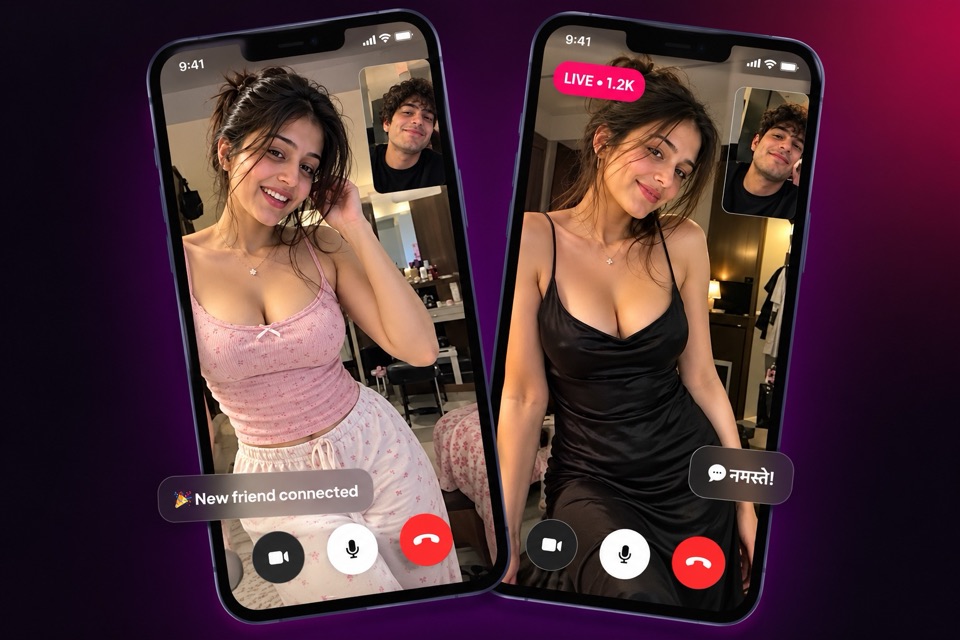
A one on one video call app should do one thing well: put you face to face with one other person and get out of the way. On Titli, a private video call is exactly that. Just you and the person you chose to call, with simple controls and the option to leave whenever you like.
This page explains how to start a private video call, how coins and per-minute billing work, what you can do during a call and how Titli keeps calls safe, including a clear explanation of call moderation.
Ways to start a private video call
You do not have to hunt for a call button. Titli lets you start a 1-on-1 call from several places:
- Explore. Browse people who are on Titli, open a profile that interests you and call from there.
- A profile. Anywhere you land on someone's profile, from a live, a post or a follower list, you can start a call.
- A chat. If you have been messaging someone and the conversation is going well, call straight from the chat screen.
- Your call history. Spoke to someone last week and want to catch up? Your history keeps recent calls so you can reconnect.
- The Celebrities tab. Featured creators can be called from their profiles too, and some offer bookable Private Sessions.
If you would rather leave it to chance, the Match tab pairs you with an available member for a random 1-on-1 video call. Our page on random video chat covers how Match and Match tickets work.
How billing works
Private calls use coins, billed per minute. The coin balance you see in the app is what you spend from, and you can top up with UPI, cards or netbanking through secure payment gateways inside the app. You can see your balance before you start, so there are no surprises.
A good habit is to decide how long you want to talk before you tap call. Per-minute billing means a relaxed fifteen-minute chat and a two-hour marathon cost very different amounts. You are always free to end a call early.
Controls during a call
Once you are connected, the call screen keeps things simple:
- Mic on or off. Mute yourself if there is noise around you or you need a moment.
- Camera controls. Switch your camera off for a bit or flip between the front and back camera.
- End call. One tap ends the call immediately, for any reason. You never need to explain why.
There is no voice-only mode for calls. Titli calls are video calls, though muting your camera briefly is fine if you need to step away.
Blocking and reporting
If a call goes wrong, you have two tools. Block stops that person from contacting you again. Report sends the account to Titli's moderation team with a reason, such as nudity, harassment, a fake profile, spam or an underage user. End the call, then do either from the person's profile or your chat with them.
You can review and manage everyone you have blocked from the blocked-accounts list in settings.
Call moderation, explained honestly
We want you to understand exactly what happens during a Titli video call, so here it is plainly.
During video calls, Titli may capture still snapshots for moderation to review for safety. You will see an on-screen indicator on the call screen that shows this is happening. You agree to it when you sign up, and it is described in our Privacy Policy.
Why do we do this? Because private video calls are where bad behaviour is hardest to catch. Snapshots give moderators context when checking calls, especially when someone files a report. It protects the people who use Titli for what it is meant for: good conversation.
What this means for you in practice:
- Treat a Titli call like a public café, not a locked room. Behave the way you would want the other person to behave.
- Titli calls are not end-to-end encrypted, and we do not claim they are.
- If you would not want something reviewed by a moderator, do not show it on camera.
Private Sessions with celebrities
Some creators in the Celebrities tab offer Private Sessions: paid 1-on-1 video calls you can book in advance. They are a planned conversation rather than a spontaneous call. Our celebrities page explains how these creators are selected and what they offer.
Making a private call go well
A few small things make video calls far better:
- Find decent light. A window in front of you beats a tube light behind you.
- Use earphones if you are somewhere noisy.
- Open with a simple question instead of a long introduction.
- Keep personal details such as your address and workplace to yourself until you really know someone.
Our guide to video chat etiquette has more ideas, and the safety page covers everything Titli does to protect you.
Frequently asked questions
How do I start a 1-on-1 video call on Titli?
Open someone's profile from Explore, a live, a post or the Celebrities tab and tap the call button. You can also call from an existing chat or from your call history.
How much does a private video call cost?
Private calls use coins and are billed per minute. Your coin balance is shown in the app, and you can end the call at any moment to stop billing.
Can I turn off my camera during a call?
Yes. The call screen has camera controls and a mic on/off button. Titli calls are video calls, so there is no separate audio-only call type.
Are Titli video calls recorded or monitored?
During video calls, still snapshots may be captured and reviewed by moderation for safety. An on-screen indicator shows this, you agree to it at signup, and it is explained in the Privacy Policy.
What should I do if someone behaves badly on a call?
End the call, then block and report the person. You can block or report anyone from their profile or chat, and choose a reason such as nudity, harassment or an underage user.
What is a Private Session?
A Private Session is a paid 1-on-1 video call you book with a creator from the Celebrities tab, rather than calling them on the spot.