 Titli
Titli
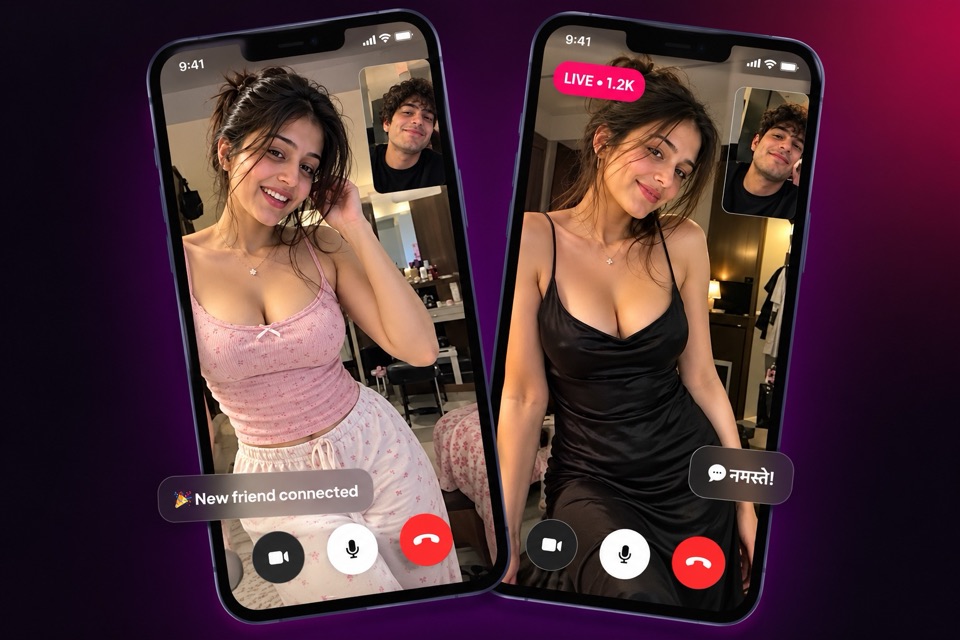
Plenty of people in India think in Hindi, text in Hinglish and only switch to English when a form demands it. If that is you, a video app full of English menus feels like work. Titli lets you set Hindi as the app language from the start, so you can use it as a Hindi video chat app from your very first tap.
This page is in English for people searching in English. If you would rather read about Titli in Hindi, head to the Titli home page in Hindi.
Step 1: choose Hindi on the first screen
The first time you open Titli, before sign-in, you see a language screen. It lists nine languages. Tap हिंदी (Hindi) and continue.
From that moment, the app's screens, buttons and menus appear in Hindi. That includes sign-in, your profile, the Match tab, messages, lives and settings.
Picked the wrong language by mistake, or want to try another one later? You can change it in the app's settings at any time. Nothing about your account changes when you switch, only the language you see.
Step 2: sign in and set up your profile
Sign in with your phone number (you get a one-time password) or your Google account. Titli is only for adults aged 18 and over (see our Terms). Accounts found to belong to anyone under 18 are removed when reported.
Then fill in your profile. A few tips if you are using the app in Hindi:
- Write your bio the way you talk. Hindi in Devanagari, Hinglish in Roman letters, or a mix. All are fine.
- Mention languages you are comfortable in. "Hindi aur thodi English" in your bio tells people what to expect.
- Add interests. They help in conversation, and you can also use them as filters on Match.
Your phone number is not shown to the people you talk to. You choose what your profile shows.
What a Hindi interface actually changes
It helps to be clear about what the language setting does and does not do.
| With Hindi selected | |
|---|---|
| App menus, buttons and screens | In Hindi |
| Report reasons and safety options | In Hindi, so you understand exactly what you are choosing |
| Your chats and calls | In any language you and the other person use |
| Who you get matched with | Not based on language |
| Incoming chat messages | Can be auto-translated into Hindi |
Those last two rows matter. Titli does not match people by language, but incoming chat messages can be auto-translated into your language. Choosing Hindi makes the app easier for you to use. The conversation itself is up to the two of you, and in practice a lot of conversations on Titli flow happily between Hindi and English.
The safety row matters too. When something goes wrong, you should not have to guess what a button means. With Hindi selected, the report menu, block option and settings are all in a language you read comfortably. Our safety page explains each tool.
Chatting in Hindi and Hinglish
On a video call
Video calls are the easiest place to use Hindi, because you just talk. Start a call from Match, from Explore, or from someone's profile. Open with a simple "Namaste" or "Hi, kaise ho?" and see what language the other person replies in. Follow their lead.
If they reply in English and you are more comfortable in Hindi, just say so: "Main Hindi mein zyada comfortable hoon, chalega?" Most people appreciate the honesty. Our article on how to start a conversation with a stranger has more opening ideas that work in any language.
In messages
Private messages work with any keyboard. Type in Devanagari, type Hinglish in Roman letters, or switch between them. If typing Hindi is slow on your phone, voice notes are a great shortcut. Just speak.
In lives and audio rooms
Many live streams and audio rooms are full of Hindi and Hinglish chatter. Join, listen for a while, and type in the chat in whatever style the room is using. In audio rooms you can take a mic seat and simply talk.
The other eight languages
Hindi is one of nine app languages on Titli. The full list is English, Hindi, Bengali, Tamil, Telugu, Kannada, Gujarati, Urdu and Arabic. That matters even if you use Titli in Hindi, because the person you meet may be using the app in Tamil or Bengali. You will still be able to call and chat. You will just need a shared language for the conversation itself, and in India that is often a friendly mix.
If you are curious about the others, our Indian languages page covers all nine. For the wider picture of how Titli is built around India, read about Titli as a video chat app for India.
Hindi pages on this site
We have written key pages in Hindi too, for anyone who would rather read them that way:
Video call karne wala app, Hindi mein
Hindi mein video call karne wala app chahiye? Titli kholte hi pehli screen par Hindi chunein. Poora app Hindi mein dikhega, aur baat aap Hindi, Hinglish ya jis bhasha mein chahein, kar sakte hain.
Frequently asked questions
How do I change Titli's language to Hindi?
Choose Hindi on the language screen when you first open the app. If you already picked another language, change it later in the app's settings.
Will the people I meet also speak Hindi?
Not necessarily. Titli does not match people by language. Many conversations happen in Hindi or Hinglish, but you may meet someone who prefers another language.
Can I type messages in Hinglish?
Yes. Messages accept any text, so Devanagari, Roman Hindi and English all work. Voice notes are another easy option.
Does Titli translate chats?
Incoming chat messages can be auto-translated into your language. The language setting also changes the app's own screens and menus.
Is the report menu in Hindi too?
Yes. With Hindi selected, the app's menus, including report and block options, appear in Hindi.
Is there a Hindi version of this website?
Yes. Start at the Hindi home page at /hi, or read about the video call app in Hindi at /hi/video-call-app.