 Titli
Titli
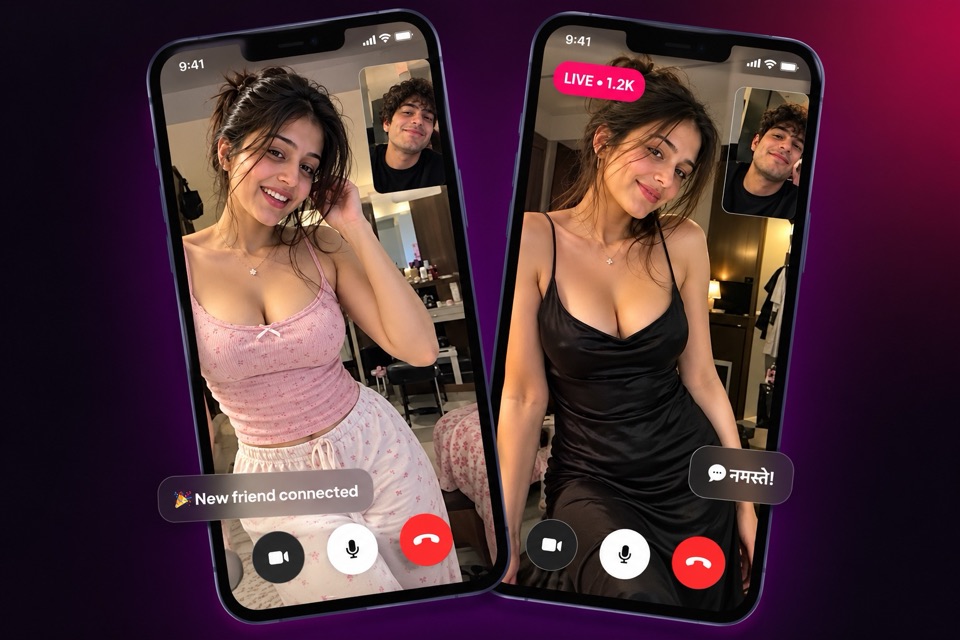
Random video chat is simple: you press a button, and a moment later you are face to face with someone new. That surprise is the fun part. It is also why the details matter. Who can join, and what happens if a call goes wrong, decide whether random video chat feels exciting or uncomfortable.
On Titli, random video chat lives in one place: the Match tab. Here is how it works, what makes it safer, and how to make your first 30 seconds count.
How Match works, step by step
Match is the home tab of the Titli app. No scrolling through profiles or sending requests first.
- Install Titli and pick your language. Titli is a free Android app. The first screen lets you choose from nine languages.
- Sign in. Use your phone number (one-time password) or your Google account. Titli is only for adults aged 18 and over (see our Terms). Accounts found to belong to anyone under 18 are removed when reported.
- Open the Match tab. It is the first thing you see. In the middle is a button that says Tap to connect.
- Set your interests (optional). Add interest filters so Match leans towards people who share something with you, like music, cricket, travel or films.
- Tap to connect. Titli pairs you with an available member and starts a 1-on-1 video call.
- Talk, or move on. Use the mic and camera controls if you need them. End the call any time. If someone breaks the rules, you can block or report anyone from their profile or chat.
What makes random video chat on Titli safer
When nobody is accountable, a few bad users ruin random chat for everyone. We designed Match the other way round.
Adults only
Titli is only for adults aged 18 and over (see our Terms). Accounts found to belong to anyone under 18 are removed when reported. Anyone who appears to be under 18 can be reported with the "underage user" reason, and we act on those reports.
Real accounts, not throwaway handles
Every account is tied to a phone number or a Google sign-in. That is why Titli is not an anonymous app, and we think that is a good thing. Your phone number is not shown to the people you talk to, and you decide what goes on your profile. But someone who gets removed cannot just reappear a minute later under a new name.
Report and block, in the moment
You can end any call the moment it feels wrong, and block or report anyone from their profile or chat. Report reasons include nudity, harassment, fake profile, spam and underage user. Blocked accounts go into a list you can manage later from settings.
Call moderation snapshots
During video calls, Titli may capture still snapshots for our moderation to review for safety. An on-screen indicator tells you when this is happening, and you agree to it when you sign up. It is explained in our Privacy Policy.
For the complete picture of our safety tools, read the Titli safety page.
Interest filters: nudge Match towards your people
A random video call does not have to be totally random. Interest filters tell Match what you care about, whether that is old Bollywood songs, exams or travel. Add them before you tap.
Keep them broad. Pick two or three things you could happily talk about for ten minutes.
Match tickets and coins
Video calls on Titli use coins, billed per minute. Match also has Match tickets, which give you a free match call for a limited number of seconds. It is a good way to say hello and see if the conversation clicks before coins come into it.
If you want tickets every day, Titli VIP includes daily Match tickets along with daily bonus coins and a few other perks. VIP is optional.
You can also collect free coins through the daily bonus and simple in-app tasks. When you do buy coins, checkout happens inside the app with UPI, cards or netbanking through secure payment gateways.
Your first 30 seconds on a random video call
A few habits make a big difference.
- Be in the frame. Face the light, hold the phone at eye level and keep your face visible. A ceiling fan view does not invite conversation.
- Smile and say hello first. It sounds obvious. It works. The other person is often just as nervous.
- Open with something easy. "Where are you calling from?" or "What are you up to tonight?" beats a silent stare.
- Use your interests. If you both chose cricket, you already have your opening line.
- Do not overshare. Skip your full name, address, college, workplace or social handles in a first call.
We have a longer guide on how to start a conversation with a stranger if you want more opening lines.
When a conversation clicks
Match is the start, not the finish. If you enjoy a call, follow the person. From their profile you can send a private message or call again later. If you prefer to see someone's profile first, the video call app page explains the other ways to start a call.
Looking for an Omegle replacement?
Omegle closed in November 2023. Titli keeps the one-tap surprise but adds accounts, 18+ rules, reporting and moderation. Our Omegle alternative page compares the two honestly.
Frequently asked questions
Is random video chat on Titli free?
Titli is free to download. Video calls use coins, billed per minute. Match tickets give a free match call for a limited number of seconds, and VIP members get them daily.
Can I choose who I get matched with?
Match connects you at random with a member of the opposite gender. You can set interest filters, so it leans towards people who share your interests; there are no age or location filters. Match calls are billed per minute to the man.
What happens if someone behaves badly on a Match call?
End the call straight away. You can then block or report anyone from their profile or chat. Reports go to Titli moderation, which can remove accounts that break our Community Guidelines.
Why does Titli take snapshots during calls?
Still snapshots may be captured during video calls and reviewed by moderation for safety. An indicator on screen shows when this happens, and you agree to it at sign-up.
Will the other person see my phone number?
No. You sign in with a phone number or Google account so every account is accountable, but your number is not shown to the people you talk to. You choose what to put on your profile.
Can I mute myself or turn off my camera during a Match call?
Yes. You have mic on/off and camera controls during the call, and you can end the call whenever you like.